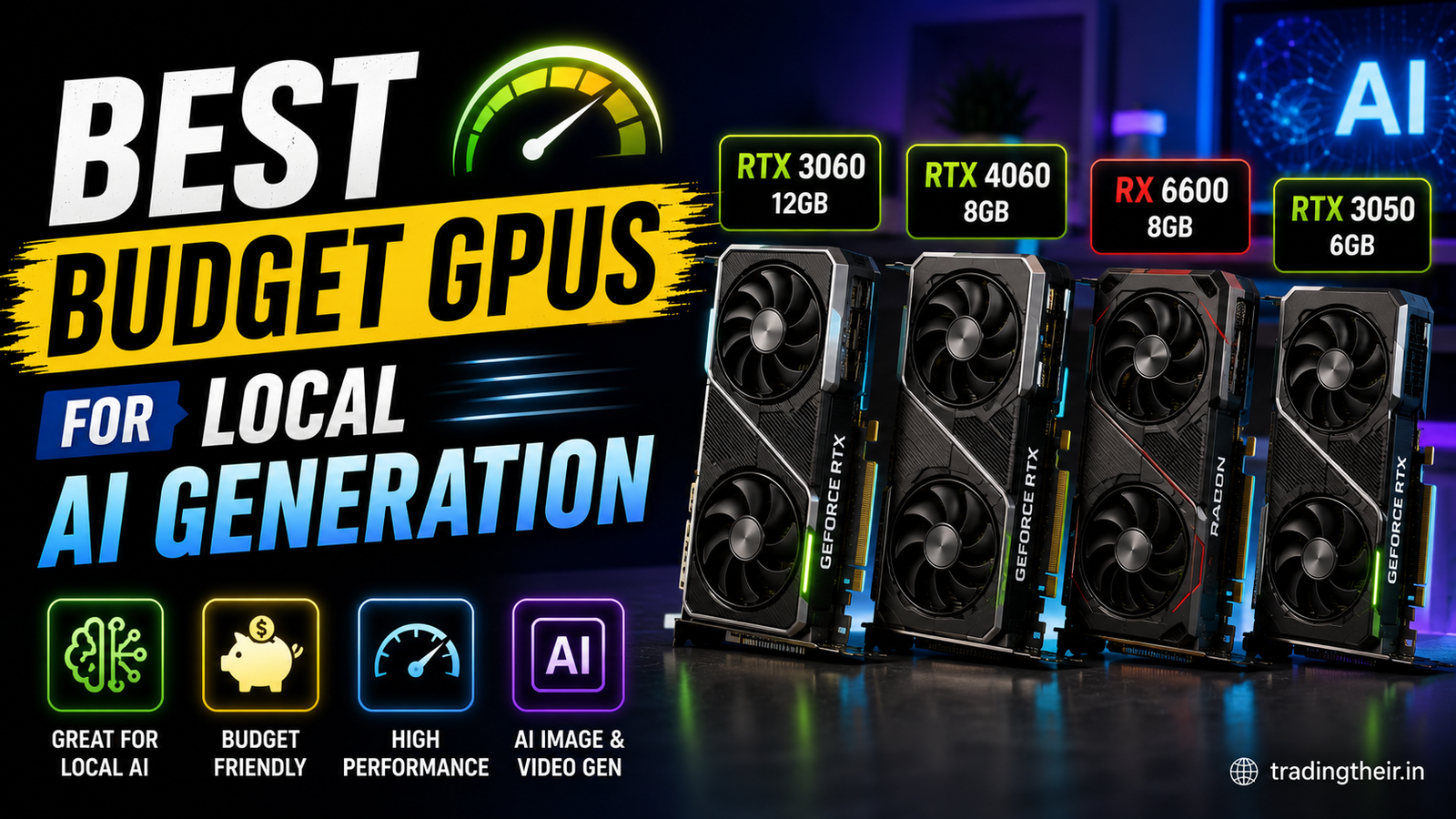
Building a local artificial intelligence workspace is an incredibly exciting project. However, hardware costs can quickly become overwhelming for beginners. Paid cloud subscriptions for image and text generation are expensive. Running open-source models locally is the ultimate alternative. You need the right physical hardware to succeed. Finding the best budget GPUs for local AI is absolutely crucial for everyday creators. You do not need to spend thousands of dollars on enterprise server hardware. You simply need to make smart, educated purchasing decisions.
The artificial intelligence hardware market is filled with confusing technical jargon. Graphics card manufacturers heavily market their products towards competitive gamers. Gaming performance does not translate directly to deep learning performance. An amazing gaming card might fail completely during model training.
This comprehensive guide breaks down the exact hardware specifications you need. I will explain why certain graphics cards perform better than others. I will also provide clear recommendations for every budget tier. This roadmap will help you build a highly capable machine without emptying your bank account.
Why You Need budget GPUs for local AI
Before purchasing any hardware, you must understand how local models operate. Deep learning software relies heavily on parallel processing. A standard computer processor (CPU) has a few very fast cores. A graphics processing unit (GPU) has thousands of smaller, slower cores.
Artificial intelligence tasks require millions of simultaneous mathematical calculations. GPUs handle these parallel calculations perfectly. This is why you cannot rely solely on your standard CPU for heavy generation. Relying on a processor results in agonizingly slow token generation. It also causes image rendering to take several minutes instead of seconds.
Dedicated graphics cards feature specialized hardware called Tensor Cores. These cores are explicitly designed to accelerate machine learning mathematics. Investing in specialized hardware drastically reduces your render times. It also keeps your core operating system completely stable during heavy workloads.
The Most Critical Metric: Video RAM
When evaluating budget GPUs for local AI, your primary focus must be Video RAM. This is commonly abbreviated as VRAM. VRAM is dedicated memory located directly on the graphics card circuit board. It is much faster than your standard system memory.
Artificial intelligence models are massive data files. A standard image generation checkpoint easily exceeds six gigabytes in size. Text generation models require even more memory space. This entire data file must be loaded directly into the VRAM to function efficiently.
If your graphics card lacks sufficient memory, the software crashes instantly. It will output a fatal out-of-memory terminal error. Gamers care primarily about core clock speeds. AI enthusiasts must care exclusively about total VRAM capacity.
Analyzing Different VRAM Tiers
Budget graphics cards typically come in three distinct memory tiers. You must choose the tier that matches your specific creative workflow.
Cards with 4GB of VRAM are severely limited. They can run heavily quantized text models slowly. They struggle immensely with modern image generation tasks.
Cards with 6GB or 8GB of VRAM represent the current entry-level baseline. Testing web design layouts locally on my Intel i7 processor and RTX 4050 setup proved this entirely. This configuration handles quantized models easily. It allows for rapid iteration of seamless backgrounds and UI elements.
Cards with 12GB of VRAM are the ultimate budget goal. This massive memory pool allows you to train custom models safely. It also provides enough headroom for complex, high-resolution rendering pipelines.
Top Nvidia budget GPUs for local AI
If you want a seamless software experience, you must purchase an Nvidia graphics card. Nvidia developed a proprietary computing platform called CUDA. Almost all open-source AI software is built natively on the CUDA framework.
Developers prioritize Nvidia hardware for all updates and bug fixes. Choosing a different brand introduces severe software compatibility headaches. Here are the best Nvidia options currently available on a budget.
Nvidia GeForce RTX 3060 (12GB Edition)
The RTX 3060 12GB is the undisputed king of budget artificial intelligence. No other card on the market offers this much VRAM for such a low price. It is the absolute perfect entry point for serious creators.
This card features over 3500 CUDA cores. It handles standard image generation pipelines in seconds. The massive 12GB memory pool is its greatest asset. You can load heavy SDXL checkpoints without modifying system parameters. You can also run massive 8-Billion parameter language models locally with room to spare.
Always verify the memory specification before purchasing this specific model. Nvidia quietly released a cheaper 8GB version of the RTX 3060. The 8GB version performs significantly worse in machine learning tasks. You must secure the 12GB variant.
Nvidia GeForce RTX 4060 (8GB Edition)
The RTX 4060 is the modern successor to the 3060. It utilizes the highly efficient Ada Lovelace architecture. This card consumes significantly less power than older generations. It runs extremely cool inside cramped desktop cases.
Unfortunately, Nvidia restricted this model to only 8GB of VRAM. This limitation makes it inferior to the older 3060 for massive AI workloads. However, the 4060 features upgraded Tensor Cores. If you only plan to run lightweight models, this card is incredibly fast.
It generates standard resolution images faster than previous generations. It is a fantastic choice if you prioritize power efficiency and modern hardware warranties. Just remember that you will need to rely heavily on memory optimization software.
Can You Use AMD budget GPUs for local AI?
Many users wonder about AMD hardware when building affordable machines. AMD graphics cards offer incredible gaming value. They frequently provide more VRAM per dollar than Nvidia models.
However, AMD does not support the CUDA framework natively. AMD uses an alternative software platform called ROCm. While the open-source community is slowly adapting to ROCm, it remains highly unstable on Windows operating systems.
The AMD Radeon RX 7600 XT (16GB)
If you absolutely insist on purchasing AMD hardware, look at the RX 7600 XT. This incredible budget card features a massive 16GB VRAM buffer. On paper, it destroys every Nvidia budget card available.
In reality, utilizing this card requires extensive technical knowledge. You must navigate complex Linux environments to unlock its full potential. You will frequently encounter unsupported software repositories. You will spend hours debugging Python environment errors.
If you are a highly technical user, this card offers unmatched memory value. If you want a simple plug-and-play experience, you must stick with Nvidia.
Laptop Versus Desktop Hardware Options
Many creators prefer the portability of laptop computers. You must understand that laptop hardware is fundamentally different from desktop hardware. Laptop components are severely restricted by thermal limitations.
Mobile graphics cards draw significantly less electrical power. A desktop RTX 4060 performs much better than a laptop RTX 4060. The laptop chassis simply cannot dissipate enough heat for sustained maximum performance.
Understanding Thermal Throttling
When a laptop graphics card gets too hot, it throttles its speed automatically. This prevents permanent physical damage to the silicon chip. Local model training pushes graphics cards to their absolute limits for hours.
If you train models on a budget laptop, expect severe thermal throttling. Your generation speeds will slow down dramatically after ten minutes of continuous use. If you have the dedicated desk space, you should always build a desktop PC for artificial intelligence. Desktop cooling systems maintain maximum clock speeds indefinitely.
Buying Used budget GPUs for local AI
The absolute best way to stretch your budget is buying used hardware. The secondhand market is flooded with older generation graphics cards. You can find incredible deals on local marketplaces and auction websites.
Older flagship cards often feature massive memory capacities. They outperform modern entry-level cards in deep learning tasks. You just need to know what specific models to target.
The Best Secondhand Targets
The Nvidia RTX 2080 Ti is a phenomenal secondhand purchase. It was a wildly expensive flagship card several years ago. It features 11GB of highly capable VRAM. You can often find it priced identically to a brand new RTX 4060.
The RTX 3090 is the ultimate secondhand dream card. It features an incredible 24GB of VRAM. While it stretches the definition of a budget purchase, its used price has crashed significantly. If you find a heavily discounted 3090, buy it immediately.
Risks of the Used Hardware Market
You must exercise extreme caution when buying used computer parts. Many older cards were used heavily for cryptocurrency mining. Mining operations run cards at maximum capacity constantly.
Always ask the seller for benchmark stress tests before handing over cash. Check the fan bearings for grinding noises. Be prepared to replace the thermal paste on the internal chip. Fresh thermal paste restores cooling efficiency to factory levels.
Maximizing Your Hardware Performance
Purchasing the right card is only the first step. You must configure your software environment to support your hardware limitations. Budget cards require highly optimized terminal variables to function properly.
Always download quantized machine learning models. Quantization compresses massive data weights into smaller formats. A standard 16-bit model might consume 10GB of memory. An 8-bit quantized version performs identically while consuming only 5GB of memory.
Furthermore, you must utilize memory efficiency libraries. Install the xFormers library inside your python environment immediately. This framework optimizes complex attention calculations. It drastically reduces the sudden memory spikes that cause terminal crashes.
Combining smart hardware purchases with optimized software variables guarantees success. You can build an incredibly powerful local artificial intelligence machine on a strict budget.