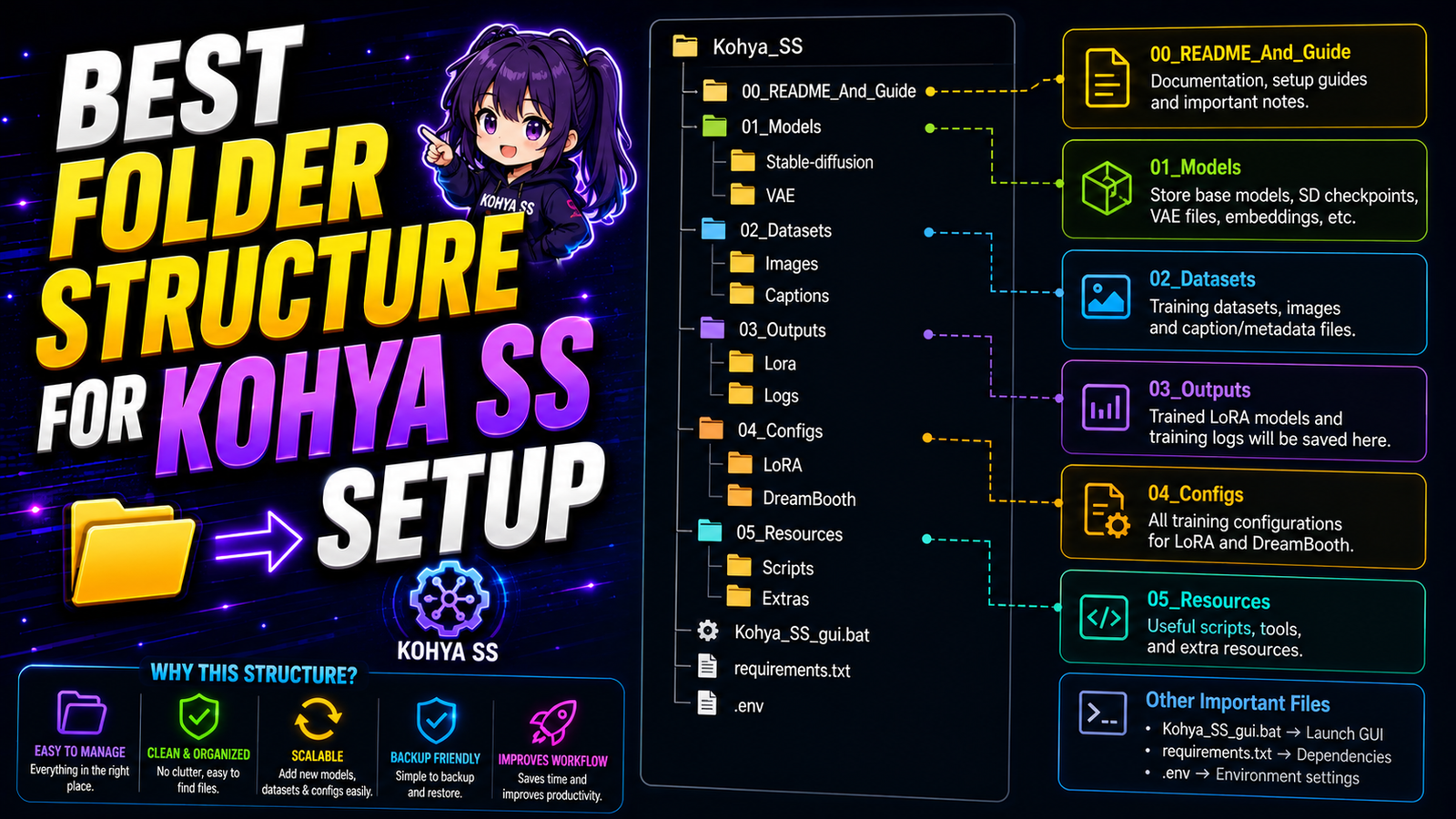
Training a custom artificial intelligence model is an incredible technical achievement. You curate pristine, high-resolution graphics. You configure complex learning rates and network ranks. However, many beginners fail before the training even begins. Their local graphical interface throws a massive red error message. The Python terminal crashes violently. This frustrating failure usually happens for one simple reason. The software cannot find your files. You must implement the best folder structure for Kohya SS setup to succeed.
Kohya SS relies on incredibly strict directory logic. It does not search your computer for images randomly. It requires a highly specific, mathematically formatted folder hierarchy. If you misplace a single text file, the entire training pipeline breaks. This comprehensive guide explains the exact mechanical roadmap for file organization. We will build a completely bulletproof directory system locally. You will never face a “path not found” error again.
Why Folder Structure Defines Training Success
Most Windows applications are highly forgiving regarding file placement. You can drop a photo on your desktop, and Photoshop opens it easily. Machine learning scripts do not operate this way. They process thousands of data points sequentially in fractions of a second. They need rigid, predictable data pipelines to maintain processing speed.
When you sit at your Kalibillod studio desk, you want a smooth workflow. You want your RTX 4050 to start crunching numbers immediately. You do not want to spend hours fighting syntax errors. A perfect directory hierarchy prevents these frustrating terminal crashes entirely. It also keeps your massive digital asset libraries beautifully organized for future client projects.
The Core Architecture of Kohya Folders
To execute a flawless local training run, you need four primary directories. You must build these directories inside a single master project folder. Never scatter these folders across different physical hard drives. Keep them strictly bundled together.
Create a brand new folder directly on your fastest solid-state drive (SSD). Name this master folder LoRA_Training_Workspace. Inside this master folder, you must create four specific subfolders. Name them exactly as follows:
-
img -
log -
model -
reg(This folder is optional but highly recommended).
Do not use capital letters for these four subfolders. The underlying Python backend is highly case-sensitive. Using lowercase letters prevents unexpected reading errors completely.
The Image Directory (img) Mathematics
The img folder is the absolute heart of your training operation. You do not place your image files loosely inside this folder. You must create a very specific subfolder inside the img directory.
This subfolder requires a strict mathematical naming convention. Kohya reads the repeat rate (and optional class token) directly from the folder name – you don’t set it anywhere in the UI. For example, Kohya reads folder names like 10_ohwx woman, where 10 is the number of repeats per image per epoch.
The number dictates the multiplier. If you place 20 images inside this folder, the software reads them 10 times. This equals 200 total training steps per epoch. The underscore acts as a strict mathematical separator. The text string dictates your trigger concept.
Choosing the Perfect Trigger Word
The text portion of your folder name is incredibly important. Pick a rare token that the base model doesn’t already know. Popular choices include obscure letter combinations like skw or ohwx.
If you are designing custom web UI mockups, use a unique identifier. Name your folder 15_flatwebui layout. The AI engine binds this exact text string to your visual style. When you type flatwebui layout later in ComfyUI, the exact trained style activates perfectly.
The Regularization Folder (reg) Strategy
The reg folder holds your regularization images. Regularization prevents a phenomenon called concept bleeding.
Imagine you are training a LoRA to generate your specific childhood friend, Pradeep. Pradeep always wears glasses in your training photos. The AI might mistakenly assume that all men must wear glasses. It bleeds Pradeep’s specific traits into the general concept of a man.
Regularization images fix this mathematical confusion completely. You place hundreds of generic photos of men without glasses into the reg folder. You name the subfolder 1_man. The software compares Pradeep against the generic men. It isolates his exact facial features accurately. It protects the base model’s general knowledge from corruption.
The Output Directory (model)
The model folder is your final destination. This is where Kohya SS drops the fully baked digital assets. The final files will carry the .safetensors extension format.
You must point your GUI output directory strictly to this model folder. If you leave the output field blank, the software drops the massive files into a hidden temporary directory. You will lose your precious trained models forever.
Always keep this folder clean. After a successful training session, move the final .safetensors file into your main ComfyUI models directory. Leaving dozens of old, broken epochs in this folder wastes massive amounts of local storage space.
The Log Directory (log)
Machine learning generates massive amounts of telemetry data. The software tracks the exact loss rates, learning curves, and hardware temperatures. It saves this critical data directly into the log folder.
You can read these logs using a visual tool called TensorBoard. TensorBoard generates beautiful graphs based on this hidden data. These graphs help you diagnose overfitting issues instantly. Always configure your Kohya interface to point to this exact log directory.
Using the Dataset Preparation Tool
Setting up these folders manually is highly error-prone. A single typing mistake breaks the entire pipeline. Fortunately, you can automate this exact process. The Kohya graphical interface includes a brilliant utility tab.
Open the Kohya interface in your web browser. Click the “Tools” tab located at the absolute top of the screen. Select the “Dataset Preparation” sub-menu. This built-in tool creates the best folder structure for Kohya SS setup automatically.
You simply fill in the blank text fields. Type your desired repeat count. Type your unique trigger word. Select your raw image source folder. Finally, set the destination directory to your master LoRA_Training_Workspace. Click the “Prepare Training Data” button. The software instantly creates the img, log, and model folders perfectly. It even copies your images into the correctly named subfolders autonomously.
Bypassing the 260-Character Path Limit
Windows operating systems possess a severe, hidden technical limitation. By default, Windows cannot read file paths longer than 260 characters. If your folder structure is buried too deeply, Kohya SS will crash violently.
For example, do not place your master folder here: C:\Users\Aditya\Documents\Freelance\Web_Design_Projects\2026\AI_Assets\Kohya\LoRA_Training_Workspace\img\20_flatwebui layout\image_001.png. This file path is incredibly long. The Python execution script will fail to read the image file completely.
Keep your root directories as shallow as physically possible. Place your master folder directly on the root of your hard drive. Use a path like C:\LoRA_Workspace\. This shallow hierarchy prevents long-path execution errors entirely.
Avoiding Whitespace Execution Errors
Whitespace characters are the ultimate enemy of Python command-line scripts. A whitespace is simply a blank space in your folder name.
Never name your master folder LoRA Training Workspace. The blank spaces confuse the terminal arguments. The script reads “LoRA” and stops reading the rest of the path. It instantly returns a fatal “directory not found” error.
Always use underscores to separate your words. Name the folder LoRA_Training_Workspace. This strict naming convention guarantees flawless script execution. Check your entire directory tree carefully for hidden blank spaces before hitting the start button.
Hardware Management on Budget Graphics Cards
Your RTX 4050 is a fantastic piece of hardware. However, it features a strict 6GB VRAM memory limit. You must manage your data pipeline carefully to prevent sudden memory spikes.
Keep your folder structures physically located on your fastest NVMe solid-state drive. Do not store your training images on a slow, external mechanical hard drive. When the AI trains, it pulls image data from the img folder constantly. A slow mechanical drive causes a massive data bottleneck. It starves the graphics card of information. This bottleneck forces the GPU usage to drop to zero, doubling your total training time.
Maintaining an Organized Training History
You will train dozens of different models over your freelance career. You will train custom buttons, 3D typography, and photorealistic laptops. You must maintain strict organizational hygiene.
Never overwrite your old folders. Create a brand new master workspace for every single unique project. Name your master folders descriptively. Use names like Project_SaaS_Dashboard_LoRA or Project_Neon_Typography_LoRA.
This immaculate organization allows you to revisit old projects easily. If a client asks for a design tweak six months later, you are fully prepared. You simply open the specific project folder and load the exact training parameters instantly.
Verifying the Caption Files
Your images are absolutely useless without proper text captions. Each image file must have a matching text file right next to it. If your image is named dashboard_01.png, the caption file must be named dashboard_01.txt.
These text files must live exactly inside the same 10_ohwx subfolder as the images themselves. Do not put the text files in a separate directory. The Kohya script scans the folder sequentially. It reads the image, and then it immediately searches for the matching text file. If the file is missing, it skips the image entirely.
By implementing this bulletproof architecture, you eliminate technical friction completely. You can focus entirely on curating beautiful datasets and optimizing learning rates. You establish the best folder structure for Kohya SS setup directly on your desktop. Run your local AI agency efficiently. Generate pristine digital assets without unexpected Python terminal crashes.