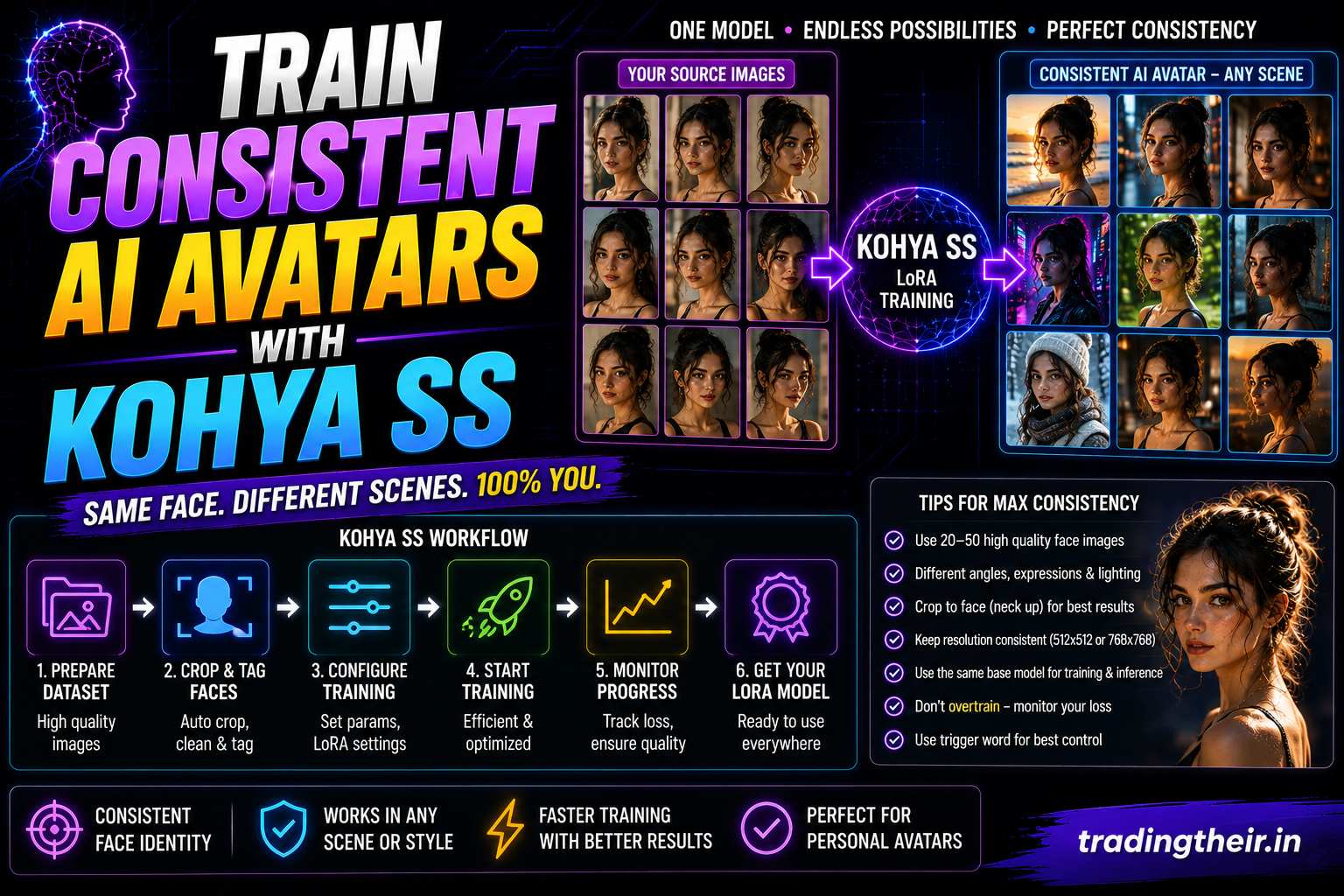
Modern freelance web designers use artificial intelligence to generate stunning digital assets. They generate abstract backgrounds, glowing 3D typography, and beautiful vector icons. However, one specific task remains incredibly difficult for most digital agencies. Artificial intelligence struggles massively with human consistency. If you type “a handsome man looking at a laptop”, the software invents a completely new face every single time. It cannot maintain the exact same identity across different web pages. You must learn how to train consistent AI avatars with Kohya SS to solve this problem entirely.
Building a custom character Low-Rank Adaptation (LoRA) model unlocks a massive premium service. You can ask your clients for twenty photographs of their CEO. You can train a custom mathematical model on those specific photos locally. Then, you can generate photorealistic images of that CEO sitting in various modern office environments. This bespoke capability completely eliminates the need for expensive corporate photoshoots. This comprehensive guide reveals the exact training roadmap required to capture human likeness flawlessly on budget hardware.
The Challenge of Mathematical Facial Recognition
Human beings are highly evolved to recognize faces. We notice instantly if someone’s nose is slightly too wide. We notice if their eyes are placed slightly too far apart. Artificial intelligence diffusion models do not understand human anatomy natively. They view human faces as complex collections of pixel noise.
When you attempt to train a character, the software often blends the subject’s face with the background environment. It might memorize the lighting instead of the actual bone structure. If the training fails, the final model generates a terrifying, melted plastic face. To achieve photorealistic consistency, you must separate the human identity from the environmental pixels completely. You do this through aggressive dataset curation and strict linguistic tagging.
Curating the Perfect Character Dataset
You do not need hundreds of photographs to capture a human likeness. You only need 15 to 30 flawless, high-resolution images. However, the visual variance inside those 30 images is absolutely critical.
If you upload 30 selfies taken in the exact same bedroom with the exact same lighting, the model breaks. It becomes heavily overfitted to that specific bedroom. You must force the mathematical engine to isolate the human face. To do this, provide extreme visual diversity. Include five close-up portrait shots. Include ten medium body shots taken in different outdoor environments. Include five full-body shots taken under bright indoor studio lighting.
Ensure the subject wears completely different clothing in every single photograph. If the subject wears a black shirt in every photo, the AI will believe the black shirt is permanently glued to their body. It will refuse to generate them wearing a red jacket later.
Mastering the Tag Pruning Strategy for Faces
The most important step in character training is the text captioning phase. You must use a local auto-tagger like WD14 to analyze your dataset first. The tagger will create text files filled with comma-separated words describing the image.
You must define a highly unique trigger word for your subject. Place a unique token like aditya_avatar at the absolute front of every single text file. Next, you must execute a strict tag pruning strategy. Tag pruning involves deleting specific words manually from the text files.
What to Delete (Permanent Features)
You must delete any tags that describe permanent facial features. If the tagger writes brown eyes, black hair, facial hair, you must delete those specific words. By deleting them, you force the AI to absorb those specific physical traits directly into your aditya_avatar trigger word. The trigger word becomes a mathematical container for the core identity.
What to Keep (Transient Features)
You must keep all tags that describe temporary items or environments. Keep words like red shirt, sunglasses, holding a coffee cup, indoor office, smiling. By keeping these words, you tell the AI that these elements are completely separate from the core human identity. The AI learns that the subject can change clothes and facial expressions dynamically.
Implementing a Regularization Directory
Training human faces often causes a severe technical problem called concept bleeding. When the AI studies your specific face intensely, it forgets what generic humans look like. If you train a model of a man wearing glasses, the AI might start putting glasses on every single man it ever generates.
You must stop this concept bleeding using a regularization folder. Create a subfolder inside your master Kohya directory named 1_man. You must fill this folder with 100 to 200 high-quality images of random, generic men. Do not use pictures of your target subject here.
During the training cycle, the Kohya script compares your subject against the generic regularization images constantly. It calculates the exact mathematical differences. This comparison process isolates your specific jawline, nose shape, and eye placement perfectly. It protects the base model’s underlying knowledge of standard human anatomy.
Configuring Network Rank for Facial Fidelity
You must select the correct brain size for your custom digital asset. The Network Rank (Dim) parameter dictates this capacity natively. Training a highly complex human face requires slightly more mathematical capacity than training a flat web design style.
Open your Kohya SS basic parameters tab. If you are using a 6GB RTX 4050 graphics card, you must respect your memory limits. Set your Network Rank strictly to 32 or 64. A rank of 64 is generally considered the absolute sweet spot for photorealistic character fidelity.
Set your Network Alpha value to exactly half of your chosen rank. If your rank is 64, set your Alpha to 32. This highly specific ratio stabilizes the learning curve. It prevents the model from memorizing pixel artifacts aggressively. It guarantees that the final facial skin texture looks organic and natural, rather than deep-fried and heavily saturated.
Dialing in the Perfect Learning Rates
Human faces are incredibly delicate mathematical structures. If your learning rate is too high, the facial features mutate violently. The eyes will point in different directions. You must train the model slowly and carefully using a cosine learning rate scheduler.
Set your Unet learning rate to 0.0001 (1e-4). The Unet handles the visual pixel geometry. Next, you must protect your Text Encoder fiercely. If the Text Encoder learns too fast, it will burn out completely. It will forget how to interpret your natural language prompts later. Set your Text Encoder learning rate to 0.00005 (5e-5).
Ensure your Warmup Ratio is set strictly to 10%. This allows the artificial intelligence to accelerate smoothly into the heavy mathematical calculations. It prevents early-stage training corruption entirely.
Managing Hardware with Gradient Checkpointing
Processing 64-rank character models pushes budget graphics cards to their absolute maximum physical limits. You must utilize strict software compression to survive the training run without terminal crashes.
Activate the Gradient Checkpointing feature inside the advanced configuration tab immediately. Turn on the xFormers memory optimization flag. Select the bf16 mixed precision format to compress the active floating-point numbers. Finally, choose a memory-efficient optimizer algorithm. Select AdamW8bit or Adafactor. Set your training batch size to exactly 1.
By applying these strict hardware guardrails, your local system will process the heavy character data flawlessly. You can confidently leave the computer running overnight without waking up to a terrifying red error screen.
Testing Epochs for Maximum Resemblance
When the Kohya SS script finishes, you will possess ten different epoch files. Character training is highly unpredictable. Epoch 10 is rarely the best version. Epoch 10 is usually heavily overfitted. The subject’s face might look perfectly accurate, but the model will refuse to change the background environment.
You must train consistent AI avatars with Kohya SS by identifying the golden epoch carefully. Build an automated X/Y Plot grid inside your local ComfyUI workspace. Test every single epoch file across multiple different weight strengths (from 0.5 to 1.0).
Type a dynamic testing prompt: aditya_avatar, a handsome man wearing a highly detailed cyberpunk suit, standing in a futuristic neon city street at night, 8k resolution.
Look closely at the generated grid. Which epoch successfully places the face onto the cyberpunk suit? Which epoch captures the human likeness accurately without burning the neon colors? Once you find that perfect intersection, delete the remaining corrupted epoch files from your storage drive immediately.
Compositing Avatars into Web Layouts
You have successfully trained a photorealistic digital clone. Now, you must integrate this bespoke asset into your freelance web design projects. Standard human portraits look boring. You need the avatar to interact with the website environment.
Load your golden .safetensors file into your ComfyUI workspace. Generate a beautiful, clean hero section background image first. Then, use the Image Composite Masked node pipeline we built in previous sessions.
Write a prompt instructing the AI to generate your avatar pointing directly at the camera or holding a blank digital tablet. Ensure the background of this avatar generation is completely pure white or pure green. Run the output through a fast background removal node. Finally, composite the transparent avatar perfectly over your digital web layout.
Fixing Uncanny Eyes with Inpainting
Even a perfectly trained LoRA model will occasionally generate slightly uncanny eyes. Artificial intelligence often struggles to align human pupils perfectly symmetrically. A slight misalignment makes the avatar look terrifying and lifeless.
Do not panic and delete the image. Send the final composite image into your local inpainting workflow. Use a highly detailed mask editor to highlight just the subject’s eyes. Set your denoising strength extremely low, around 0.35. Add the word perfect symmetrical eyes, hyper-detailed irises to your positive prompt box. The engine will instantly correct the pupil geometry without destroying the underlying facial resemblance.
By mastering this complex digital pipeline, you elevate your web design agency to an elite tier. You can train consistent AI avatars with Kohya SS rapidly and securely offline. You eliminate massive client photography budgets instantly. You possess complete creative control over every single pixel on the digital canvas. Congratulations on completing this massive local AI training bootcamp. Your Kalibillod desktop is now the ultimate creative powerhouse!