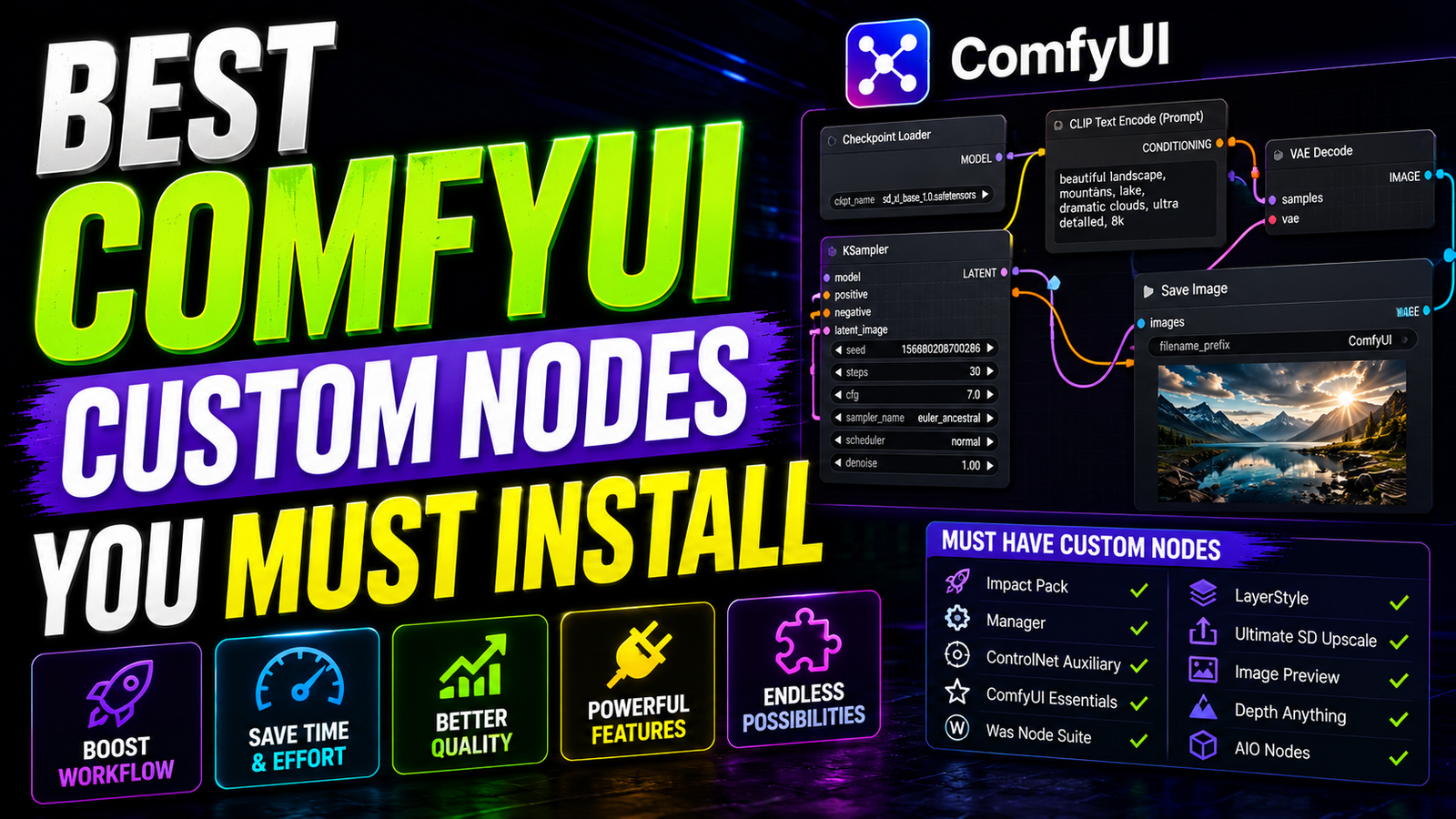
ComfyUI is a highly capable image generation tool. However, the default installation feels quite empty. It lacks several advanced features required for professional work. To unlock its full potential, you need community extensions. These extensions add incredible functionality to your workspace. They automate complex mathematical processes instantly. Finding the absolute best tools can feel completely overwhelming. There are thousands of different repositories available online. Many older nodes are outdated or completely broken. This comprehensive guide covers the Best ComfyUI Custom Nodes available today. You absolutely must install these extensions to improve your daily workflow.
Why You Need the Best ComfyUI Custom Nodes
Standard web interfaces offer a very rigid generation experience. You click a single button and wait for the image. ComfyUI changes this entirely by using a visual grid. You connect different processing blocks together manually. This gives you absolute control over the mathematical pipeline. However, the core software only provides basic routing tools.
You cannot build complex applications with just the basic tools. You need advanced nodes to handle specific visual tasks. Custom extensions act as highly specialized digital tools. They allow you to swap faces seamlessly. They let you extract text from old images. They even let you manage your digital files automatically.
Breaking Free from Basic Limitations
Without custom extensions, your creative ceiling is very low. You will struggle to fix blurry human faces. You will spend hours wiring messy, complicated grid layouts. Relying on default nodes wastes massive amounts of computational time.
The community has solved almost every major interface problem. Brilliant developers release their custom code for free online. You just need to know which packages are actually reliable. When searching for the Best ComfyUI Custom Nodes, you must prioritize stability. You want tools that receive frequent developer updates.
The Ultimate Package Manager
Before downloading any creative tools, you need a package manager. Installing nodes manually via GitHub is extremely tedious. It requires complex command-line prompts and python virtual environments. It frequently leads to broken python environment paths. The ComfyUI Manager solves this exact frustrating problem permanently.
Developed by Dr.Lt.Data, it provides a beautiful graphical interface. You access it directly inside your active web browser. You can search, install, and update extensions with one click. It completely bypasses the need for messy terminal commands. This tool is universally considered the most critical community extension.
Fixing Missing Node Errors
The manager features an incredible “Install Missing Nodes” button. Sometimes you download a complex workflow from the internet. When you load it, you might see massive red boxes. These red boxes indicate missing software dependencies.
The manager identifies these missing pieces automatically. It pulls them directly from the official repositories. It installs them cleanly and restarts your server. No list of the Best ComfyUI Custom Nodes is complete without this manager. It is the foundation of a stable local workspace.
Essential Core Utilities
The core software often lacks basic image manipulation tools. You might need to resize or crop an image quickly. Doing this with default tools is surprisingly difficult. You usually have to export the image to Photoshop. The ComfyUI Essentials pack fixes these exact structural gaps.
Developed by Cubiq, it adds fundamental utility functions. It includes advanced image resizing and precise cropping tools. It eliminates the need for external photo editing software. You can handle basic framing adjustments directly on your node canvas.
Advanced Data Manipulation
The Essentials pack also features powerful data manipulation tools. You can convert different mathematical data types easily. This prevents severe connection errors between mismatched node inputs.
Furthermore, you can inject controlled noise directly into negative embeds. This specific noise injection reduces unwanted visual artifacts significantly. These tools act as crucial building blocks for advanced routing. They streamline your graph and reduce unnecessary visual clutter. It remains a highly recommended baseline installation for every single user.
Perfecting AI Faces Automatically
Generating perfect human faces at a distance is incredibly hard. Standard AI models focus on the entire image composition. They often turn distant faces into blurry, distorted messes. To fix this, you need advanced regional detailing tools. The ComfyUI Impact Pack is legendary for fixing this issue.
It includes highly sophisticated facial detection algorithms. The software scans your generated image for broken faces automatically. It isolates the human face from the background. It enhances the facial details and blends it back seamlessly. This specific workflow is commonly called “ADetailer” in other programs.
Powerful Iterative Upscaling
The Impact Pack brings this massive functionality to your grid. You no longer have to accept ruined background characters. The pack also offers incredible iterative upscaling pipeline tools. These specialized upscalers enlarge your images without losing fine details.
They process the image in tiny, overlapping tiles. This prevents your graphics card from running out of memory. The results are incredibly crisp, high-resolution final images. It is undeniably one of the Best ComfyUI Custom Nodes available today. Every professional creator relies on this specific package heavily.
Advanced Text and Prompt Verification
Prompting complex images requires careful text management. Sometimes you want to review your prompt before generating. Hitting the queue button accidentally can waste precious computing time. The Prompt Verify node pauses your active workflow completely.
It lets you review and edit text before calculation begins. A popup box appears on your screen for final approval. This simple step saves massive amounts of wasted computational resources. It is especially useful for batch generation tasks overnight.
Extracting Hidden Image Metadata
Another incredible text tool is the Meta Prompt Extractor. Sometime you find an old AI image on your drive. You want to recreate it, but you forgot the prompt. This node extracts hidden text data from previously generated images.
You just drag the old image into your active workspace. The node reads the hidden metadata tags instantly. You can pass this exact text through complex new workflows. These tools give you absolute control over your historical text inputs. They prevent you from losing your best creative ideas.
Specialized Masking and Object Protection
Face swapping is a very popular workflow for many creators. You can place consistent characters into different digital environments. However, standard face swapping tools overwrite foreground objects completely. If a character wears sunglasses, the swap destroys them.
If a microphone covers the face, it gets completely erased. The OcclusionMask node solves this specific visual problem permanently. It is a highly specialized tool for professional editors. It generates a highly precise protection mask automatically.
Protecting Foreground Pixels
This mask tells the swapping software to ignore specific pixels. The foreground object stays completely intact and visually sharp. The face swap happens normally everywhere else on the canvas.
This level of control is absolutely essential for professional editing. You do not have to fix ruined objects in Photoshop later. The entire masking process happens seamlessly during the generation phase. It is certainly one of the Best ComfyUI Custom Nodes for advanced users.
Cleaning Up Messy Graph Wiring
As your workflows grow, your visual grid becomes incredibly messy. You will have dozens of wires crossing over each other. This is commonly referred to as “spaghetti wiring.” It makes troubleshooting broken connections incredibly difficult.
The RGThree custom node package was designed to fix this. RGThree provides massive quality of life improvements for heavy users. It introduces a brilliant routing tool called Context Big. This node combines multiple wire routes into one single cable.
Fast Muting and Bypassing
You pass the single cable across your massive workspace grid. Then, you unpack it on the other side safely. This cleans up messy wiring on your canvas instantly. The package also offers fast muting and bypassing toggles.
You can disable entire sections of your workflow instantly. You do not have to delete and redraw complex wire routes. You just click a single button to pause a specific section. This makes testing new ideas incredibly fast and visually clean.
Advanced Output File Organization
The default image saving node is very rigid and basic. It simply dumps all files into your default output folder. It uses a very basic numerical naming convention. As your projects grow, this creates a massive organizational mess.
The Save_It extension is a powerful file management upgrade. It gives you absolute control over file naming conventions. You can inject your exact prompt text into the file name automatically. This makes searching for specific images later incredibly easy.
Sorting Images Automatically
You can automatically sort images into specific dated folders. The node creates subfolders based on the current calendar day. It features a clean interactive user interface directly on the node.
You can save different file formats based on your needs. You can choose between PNG, JPG, or lossless WebP formats. This node keeps your digital workspace incredibly clean and highly organized. It is absolutely essential for anyone generating hundreds of daily images.
Visual Benchmarking and Comparisons
Testing different generation models requires precise visual analysis. You must compare how different samplers affect the final pixels. Opening two images in separate windows is highly inefficient. You cannot spot microscopic differences accurately across different screens.
The Image Compare node fixes this analytical bottleneck instantly. It places a specialized viewer directly onto your canvas grid. You input two different image paths into the single node. It generates a split-screen view on your display.
Smooth Interactive Sliders
It provides a smooth interactive slider to wipe between them. You grab the slider and drag it across the image horizontally. This lets you spot microscopic differences in generation quality perfectly.
You can see exactly how a new sampler affects skin texture. You can see how different CFG scales impact background clarity. It is an invaluable tool for benchmarking your hardware configurations. Finding the Best ComfyUI Custom Nodes requires some testing, and this tool helps immensely.
Maintaining the Best ComfyUI Custom Nodes
Installing too many extensions can cause system instability eventually. Different developers might use conflicting python library versions occasionally. When an update breaks your workflow, do not panic immediately.
Open your ComfyUI Manager and check for official updates. Developers patch broken code very quickly in the open-source community. If an update fails, you might need to reinstall dependencies. The manager features a dedicated button to fix these broken links safely.
Keeping Your Workspace Optimized
You can also disable problematic nodes temporarily without deleting them. This helps you isolate exactly which extension is causing the crash. Always read the black terminal log to identify the specific error source.
To keep your ecosystem stable, only install extensions you actively use. Do not hoard hundreds of nodes just because they look interesting. Bloated workspaces increase your startup time significantly. They also increase the risk of background memory leaks over time.
You now know the Best ComfyUI Custom Nodes for professional design. Rely heavily on the highly trusted extensions mentioned in this guide. They are continuously updated by dedicated open-source developers. By carefully curating your toolset, you guarantee a smooth creative experience. You easily transform a basic application into an elite generation powerhouse.